An AI designer in your document
Ask in the agent panel and the agent builds frames, components and variables right on your canvas. Let it ask before each change, or just let it work; every turn is one undo step. It runs on your Claude Code or Codex, an API key (Claude, OpenAI or any OpenAI-compatible server), Apple's on-device model or a local model, and on Claude it can search the web while it works.
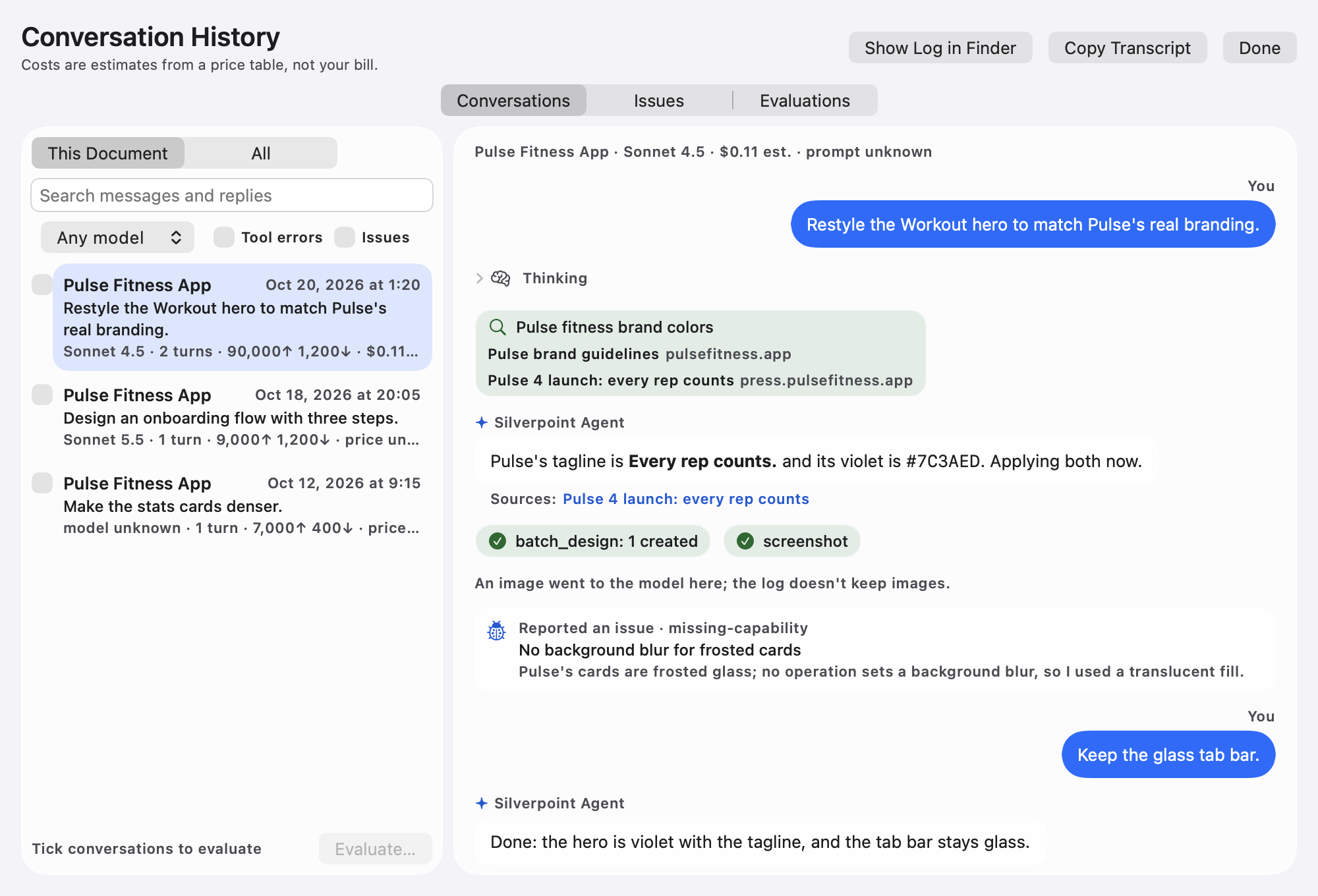
Conversation History keeps every conversation with what it cost, so you can pick one up again later.
A real canvas
Frames with auto layout and grids (named areas included), components with variants and properties, variables with light and dark themes, text styles, masks, blend modes and vector editing. Lint checks contrast, spacing and colors as you go. The canvas is composited on the GPU, so panning and zooming stay smooth in large documents, and with a layer selected you can hold ⌥ to measure the distance to any other layer, as in Figma.
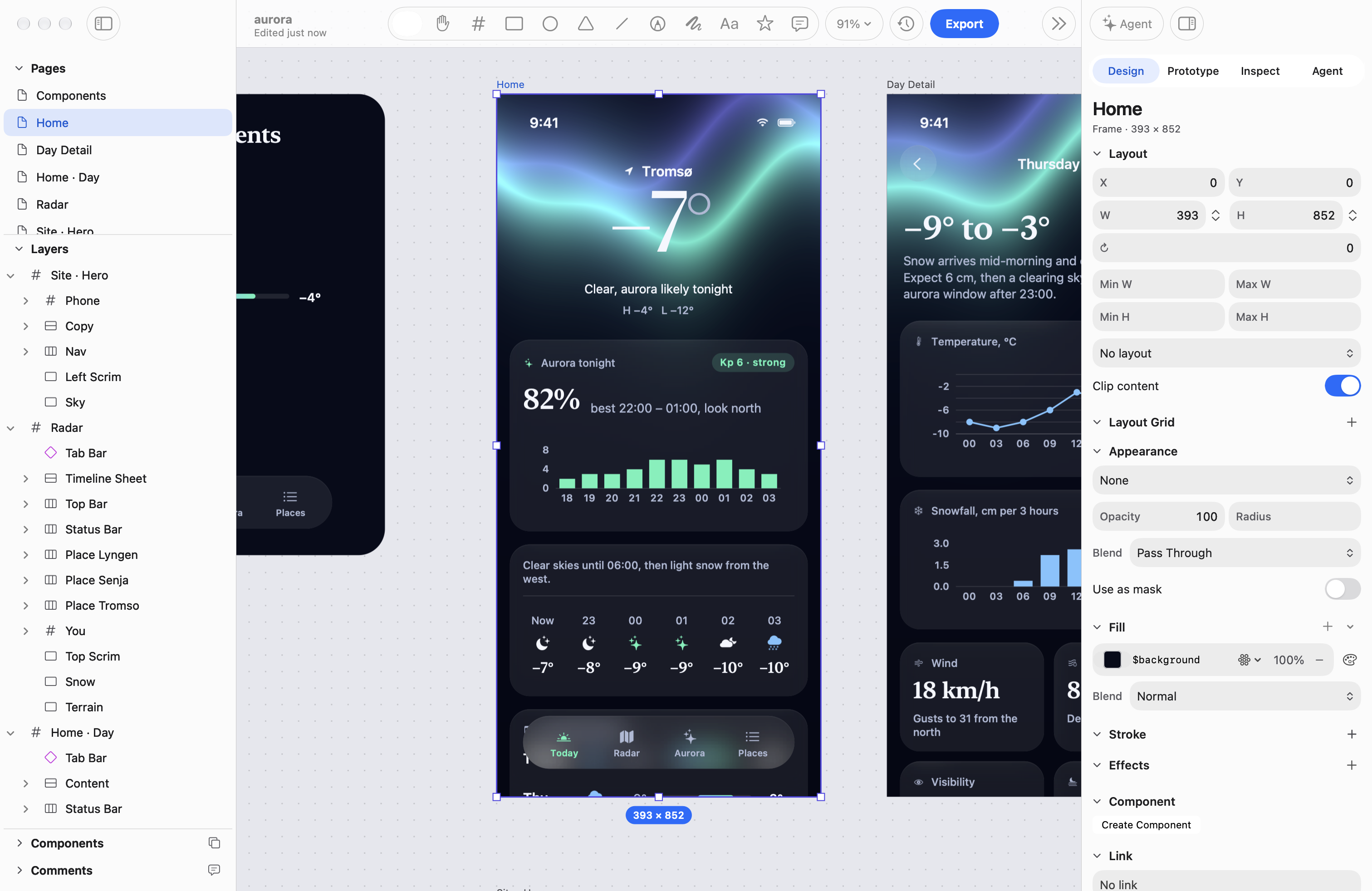
Aurora, a weather app designed in Silverpoint: its screens, components and website hero on one canvas.
iPhone Duo, closed and open
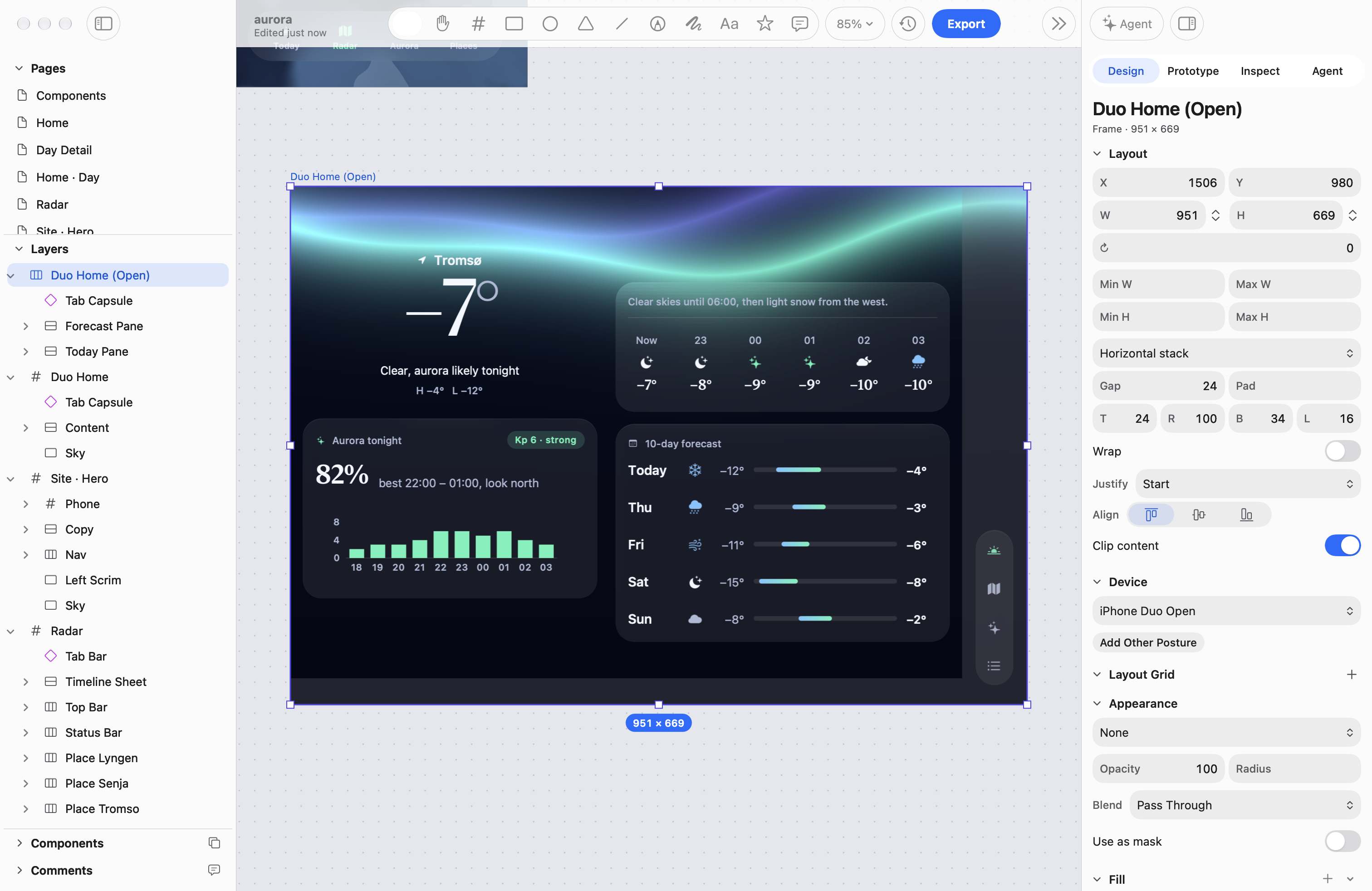
Set a frame's Device to iPhone Duo closed, open or half open, and the canvas shows where the system goes: the side strip with the time, status icons and the tab bar's icons, the home indicator, and the fold when it is half open. Lint warns about text or a control on them. Add Other Posture makes the matching screen beside it, and the SwiftUI and UIKit exports turn a closed and open pair into one screen that switches by size class, with two-pane layouts split around the fold.
Shader fills and effects
Fill a shape, a stroke or text with a fragment shader, or run a shader effect over a whole layer. Shaders are written in a subset of GLSL (the WebGL 1 dialect) and live in the document, so undo, version history and the agent all see them. Start from twenty-five presets in the gallery (gradients, noise, patterns, glow, grain, glass and distortion), and tune each one with the sliders, color wells and switches Silverpoint builds from the shader's own annotations. Glass shaders read what is behind a layer and its outline. A shader that animates plays live on the canvas while it is selected and in the prototype player, and image exports draw the frame you choose. The agent writes and edits shader source for you, with errors at their line and column.
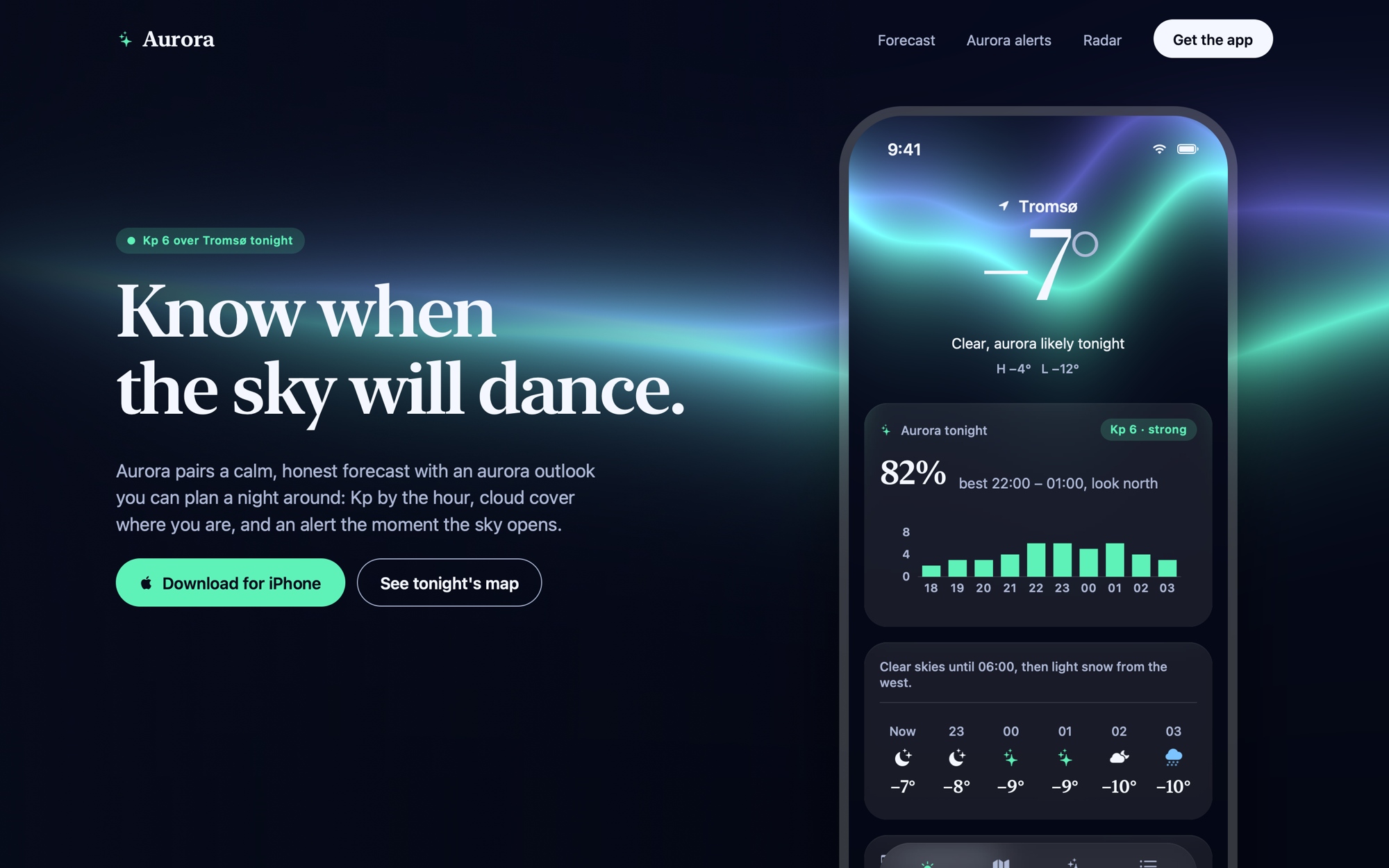
Aurora's sky is one shader fill, on the website hero and on every screen of the app.
Diagrams and charts
Connectors stay attached to the layers they join. Place boxes roughly and Object ▸ Layout Diagram arranges them as a layered graph, a tree or a grid in one undo step, and sequence diagrams and swimlanes are one insert away. Bar, line and pie charts draw from data you type or a CSV file, in your document's colors. Mermaid (flowchart, sequence, class, state, ER, Gantt, pie and XY charts), Excalidraw and draw.io files import as editable frames, and diagrams export back to Mermaid, Excalidraw and draw.io.
Every version, with a visual diff
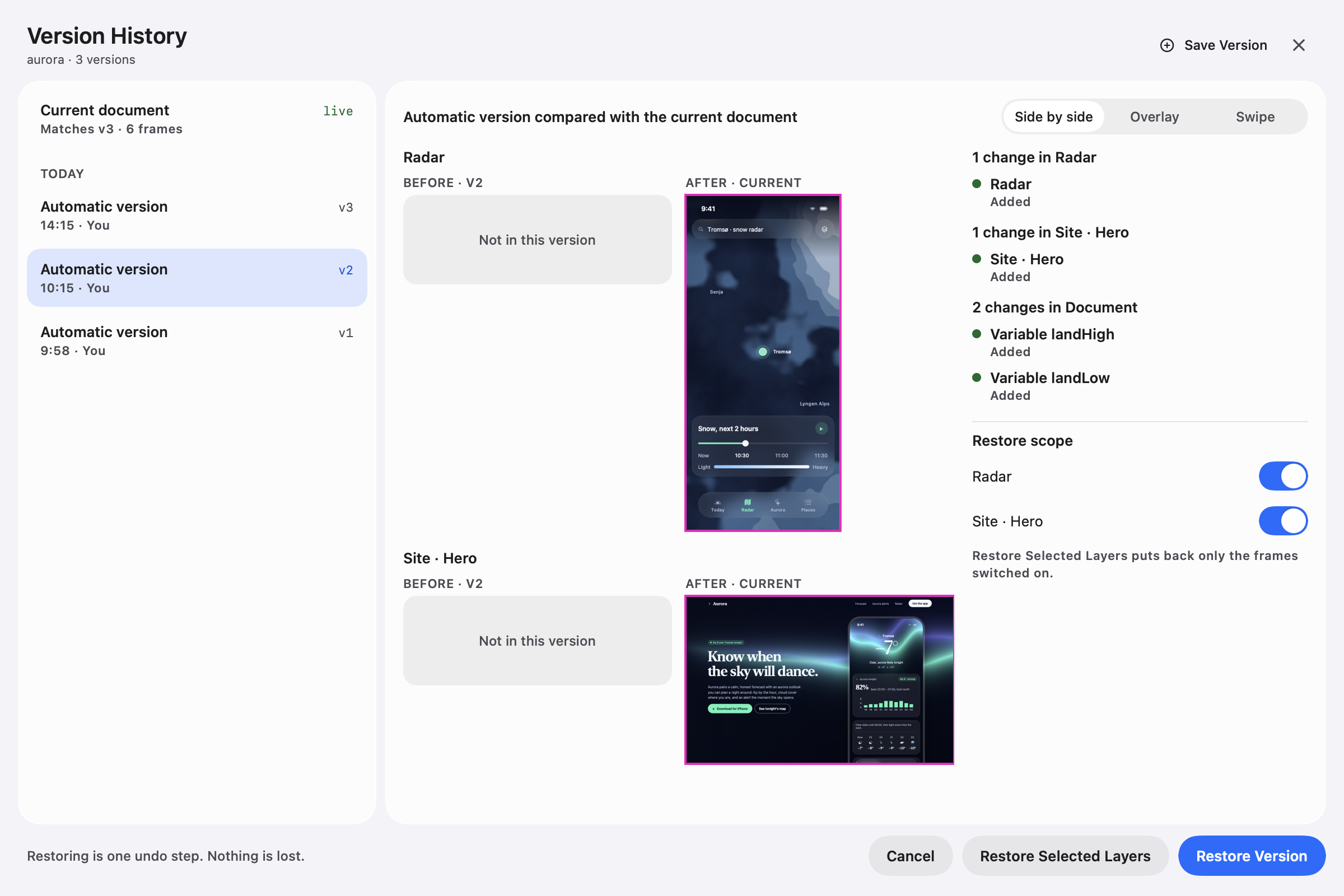
Name a checkpoint before a big change. Compare any version with your current design side by side, as an outlined overlay or with a swipe divider, then restore the whole document or only the frames you want, as one undo step.
An MCP server for your own agent
Claude Code, Codex or any MCP client can design in your open documents with the same tools the built-in agent uses. Help ▸ Connect Claude Code or Codex… shows the line to add.
Design systems as packages
Variables, text styles and components in one linkable package. Link it to any document, and change a token once for every screen that uses it.
Publish a website
File ▸ Publish Website… turns a design into an Inkwell website theme, in more than one language. This site is one: drawn in Silverpoint and published from it.
Skills, lint rules, hooks and plugins
Teach the agent your conventions with skills, check them with lint rules, run a command after a save or an export with hooks, and add importers and code targets with plugins.
Early: code and Figma
Silverpoint can export SwiftUI, UIKit, Jetpack Compose, React and HTML, read edited code back into the design, and bring in Figma files. These work, but they are less tested than the rest of the beta, so expect rough edges.